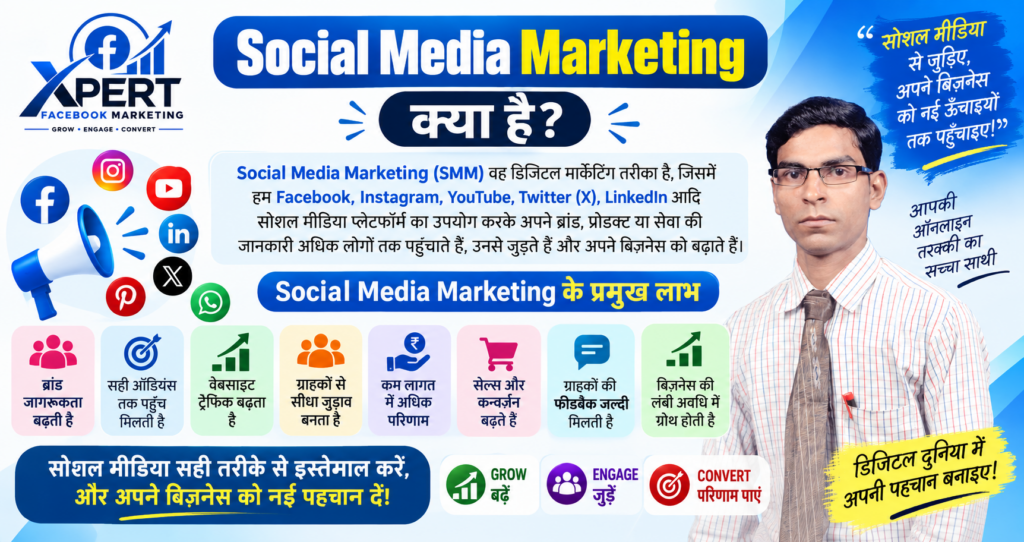

Social Media Marketing क्या है?

Social Media Marketing (SMM) एक Digital Marketing technique है जिसमें Facebook, Instagram, YouTube, LinkedIn, X (Twitter), Pinterest जैसे Social Media Platforms का उपयोग करके किसी Business, Brand, Product या Service का Promotion किया जाता है।
मुख्य उद्देश्य (Key Objectives)
Social Media Marketing का मुख्य लक्ष्य होता है:
Brand Awareness बढ़ाना — लोगों तक अपनी ब्रांड की पहचान पहुँचाना।
Audience Engagement — followers के साथ comments, likes, shares और messages के जरिए जुड़ना।
Website Traffic बढ़ाना — social posts से users को अपनी website या landing page पर लाना।
Leads & Sales generate करना — नए customers ढूँढना और revenue बढ़ाना।
कैसे काम करता है? (How it Works)
Content Creation: Engaging posts, reels, videos, stories बनाना जो audience को attract करें।
Paid Ads (Inorganic Strategy): Facebook Ads, Instagram Ads, LinkedIn Ads जैसे Paid Promotions चलाकर सही Target Audience तक पहुँचना।
Community Engagement: Comments, DMs और reviews का जवाब देकर trust और loyalty बनाना।
Analytics & Optimization: Insights/Analytics Tools से track करना कि कौन-सा content काम कर रहा है और strategy improve करना।
Popular Social Media Platforms for Marketing
| Platform | Best For |
|---|---|
| Broad audience, community groups, paid ads | |
| Visual content, reels, influencers, youth audience | |
| YouTube | Long-form video, tutorials, brand storytelling |
| B2B marketing, professional networking, corporate branding | |
| X (Twitter) | Real-time updates, news, customer support |
| Visual discovery, lifestyle & e-commerce brands |
फायदे (Benefits of Social Media Marketing)
Brand Awareness → Customer Engagement → Lead Generation → Website Traffic → Sales Growth
यानी, Social Media Marketing के माध्यम से Business अपने Target Audience तक पहुँचकर अपने Brand और Business Growth को बढ़ा सकता है।

Facebook Page And Instagram Marketing से ग्राहक कैसे पाएँ?
Facebook Page और Instagram Marketing से ग्राहक पाने के लिए केवल पोस्ट डालना पर्याप्त नहीं है। आपको सही Target Audience, उपयोगी Content, स्पष्ट Offer और तेज़ Follow-up—इन चारों पर काम करना होगा।
1. Business Profile सही बनाएँ
Facebook Page
अपने Business के नाम से Facebook Business Page बनाएँ।
Profile Photo में Logo और Cover Photo में Product/Service दिखाएँ।
About Section में ये जानकारी लिखें:
आप क्या बेचते हैं?
किस शहर में सेवा देते हैं?
Price Range
Phone Number और WhatsApp Number
Address और Business Timing
एक स्पष्ट Call-to-Action Button लगाएँ, जैसे:
Send Message
Call Now
WhatsApp
Book Now
Instagram Business Account
Instagram को Business Account में बदलें।
Bio में लिखें:
आपका काम
आपका शहर या Service Area
ग्राहक को मिलने वाला फायदा
Contact करने का तरीका
Example Bio:
“Delhi में Home Tiffin Service | Fresh खाना रोज़ घर तक | Order के लिए WhatsApp करें।”
Facebook Page और Instagram Account को आपस में Link करने से एक ही Content दोनों Platforms पर Share किया जा सकता है।
2. सही Target Audience चुनें
हर व्यक्ति को ग्राहक बनाने की कोशिश न करें। पहले अपना Ideal Customer तय करें।
इन बातों का उत्तर लिखें:
Customer की Age क्या है?
वह किस City या Area में रहता है?
उसका Profession क्या है?
उसकी मुख्य Problem क्या है?
वह किस Price Range में खरीद सकता है?
वह Facebook पर अधिक Active है या Instagram पर?
Example:
यदि आप Delhi में Ladies Suit बेचते हैं, तो आपकी Target Audience हो सकती है:
Location: Delhi, Noida, Gurgaon
Age: 22–45 वर्ष
Interest: Fashion, Ethnic Wear, Shopping
Language: Hindi और English
3. ग्राहक लाने वाला Content बनाएँ
आपका Content केवल Product दिखाने वाला नहीं, बल्कि Customer की Problem का Solution बताने वाला होना चाहिए।
Content के प्रमुख प्रकार
Educational Content: Product का सही उपयोग कैसे करें।
Problem-Solution Content: Customer की समस्या और आपका समाधान।
Product Demo: Product को इस्तेमाल करके दिखाएँ।
Customer Testimonial: पुराने ग्राहकों का अनुभव।
Behind the Scenes: आपका काम कैसे तैयार होता है।
Offer Content: Discount, Free Delivery या Limited-Time Offer।
FAQ Content: Price, Delivery, Return और Quality से जुड़े सवालों के जवाब।
Instagram Reels और Facebook Videos
Short Video या Reels अधिक लोगों तक पहुँचने में मदद कर सकती हैं। Video के पहले 3 सेकंड बहुत महत्वपूर्ण होते हैं।
Reel Hook Examples:
“क्या आपका चेहरा बहुत Oily रहता है?”
“Delhi में घर बैठे Fresh Tiffin चाहिए?”
“₹999 के अंदर Best Gift Idea।”
“यह गलती आपका पैसा बर्बाद कर सकती है।”
एक Reel में यह Structure रखें:
Hook: ध्यान आकर्षित करने वाली शुरुआत।
Problem: Customer की परेशानी।
Solution: आपका Product या Service।
Proof: Review, Result या Demo।
CTA: ग्राहक को अगला कदम बताएँ।
4. हर Post में CTA लगाएँ
CTA यानी Call to Action—ग्राहक को स्पष्ट रूप से बताना कि उसे क्या करना है।
अच्छे CTA के उदाहरण:
“Price जानने के लिए WhatsApp करें।”
“आज का Offer पाने के लिए ‘INFO’ लिखकर DM करें।”
“Free Consultation के लिए Call करें।”
“Order करने के लिए Bio में दिए Link पर Click करें।”
“अपना Location Comment में लिखें।”
बिना CTA के ग्राहक Post देखकर आगे बढ़ सकता है।
5. Local Marketing करें
यदि आपका Business किसी खास शहर या Area में है, तो Local Marketing पर ध्यान दें।
Post में अपने शहर का नाम लिखें।
Location Tag का उपयोग करें।
Local Hashtags लगाएँ, जैसे:
#DelhiBusiness
#NoidaShopping
#DelhiFood
#GurgaonServices
अपने शहर के Local Groups में उपयोगी जानकारी Share करें।
Local Influencers और Micro-Influencers के साथ Collaboration करें।
Customer Reviews में उनका Area या City दिखाएँ।
सिर्फ सामान्य Hashtags की बजाय City और Business से जुड़े Keywords इस्तेमाल करने पर अधिक Relevant Audience मिल सकती है।
6. Facebook और Instagram Ads चलाएँ
Organic Content के साथ Meta Ads यानी Facebook और Instagram Ads चलाने से नए ग्राहकों तक जल्दी पहुँचा जा सकता है।
Campaign Objective चुनें
अपने लक्ष्य के अनुसार Objective चुनें:
Messages: WhatsApp या Messenger पर बातचीत के लिए।
Leads: Customer का Name, Phone Number और Requirement लेने के लिए।
Sales: Website या Online Store से बिक्री के लिए।
Traffic: Website या Landing Page पर Visitors भेजने के लिए।
Engagement: Likes, Comments और Video Views बढ़ाने के लिए।
यदि आपका छोटा Local Business है, तो शुरुआत में Messages या Leads Campaign उपयोगी हो सकता है।
Ad बनाने का तरीका
Meta Ads Manager खोलें।
Campaign Objective चुनें।
Target Location और Audience तय करें।
Image, Video या Reel Creative लगाएँ।
Offer और CTA लिखें।
Budget और Duration सेट करें।
Ad को Publish करने से पहले Preview करें।
Facebook के अनुसार Page से Ad बनाने में Goal, Creative, Audience, Budget और Placement चुनने होते हैं।
Ad Creative Example
Headline:
“Delhi में घर बैठे Fresh Tiffin”
Primary Text:
“Office और Students के लिए रोज़ ताज़ा घर जैसा खाना। आज पहला Order करने पर Free Delivery।”
CTA:
“WhatsApp पर Order करें”
आप शुरुआत में छोटा Budget रखकर अलग-अलग Ad Creative और Audience को Test कर सकते हैं। एक सामान्य उदाहरण के तौर पर ₹200–₹500 प्रतिदिन का Test Budget रखा जा सकता है, लेकिन वास्तविक Budget आपके Business, Location और Competition पर निर्भर करेगा।
7. WhatsApp पर Lead को Customer बनाएँ
Ad से Lead आना पहला चरण है। असली बिक्री सही Follow-up से होती है।
जब कोई ग्राहक Message करे:
5–10 मिनट के अंदर Reply दें।
उसका नाम और Requirement पूछें।
Product की Photo, Price और Benefits भेजें।
Delivery Time और Payment Method स्पष्ट करें।
एक छोटा Offer दें।
यदि वह तुरंत Order न करे, तो अगले दिन Follow-up करें।
WhatsApp Reply Example:
“नमस्ते अमित जी, आपके Message के लिए धन्यवाद। आपके लिए यह Product उपलब्ध है। इसकी कीमत ₹1,499 है और Delhi में Delivery Free है। मैं आपको Catalogue भेज रहा हूँ। क्या आप Blue या Black Colour पसंद करेंगे?”
8. Reviews और Trust बनाइए
लोग अनजान Page से खरीदने में सावधानी रखते हैं। इसलिए Social Proof दिखाएँ:
Customer Reviews
Video Testimonials
Before-and-After Results
Product Unboxing
Delivery Photos
Business Address
Return या Replacement Policy
Real Customer Questions के Answers
Fake Reviews न लगाएँ। वास्तविक ग्राहक की अनुमति लेकर उसका Feedback प्रकाशित करें।
9. नियमित Posting Schedule बनाएँ
एक सरल Weekly Content Plan:
| दिन | Content Idea |
|---|---|
| सोमवार | Educational Post |
| मंगलवार | Product Photo या Carousel |
| बुधवार | Customer Review |
| गुरुवार | Instagram Reel |
| शुक्रवार | Offer या Discount |
| शनिवार | FAQ या Live Video |
| रविवार | Behind-the-Scenes Content |
Instagram और Facebook पर एक ही Content को बिना बदलाव के बार-बार डालने की बजाय Format बदलें—जैसे Reel, Story, Carousel और Live।
10. Results को Measure करें
हर सप्ताह इन Marketing Metrics को देखें:
Reach
Engagement
Video Views
Profile Visits
Link Clicks
WhatsApp Messages
Leads
Conversion Rate
Cost per Lead
Total Sales
उदाहरण के लिए, यदि किसी Ad से बहुत Messages आ रहे हैं लेकिन Sales नहीं हो रही, तो समस्या Price, Offer, Trust या Follow-up में हो सकती है।
30-दिन की Action Plan
Week 1: Setup
Facebook Page और Instagram Business Account तैयार करें।
Bio, Logo, Contact और WhatsApp Button लगाएँ।
Target Audience की सूची बनाएँ।
Week 2: Content
3 Reels बनाएँ।
3 Educational Posts डालें।
2 Customer Reviews प्रकाशित करें।
हर Post में CTA लगाएँ।
Week 3: Promotion
एक स्पष्ट Offer बनाएँ।
Messages या Leads Campaign शुरू करें।
अलग-अलग Creative Test करें।
Week 4: Optimization
सबसे अधिक Messages और Sales वाले Ad को पहचानें।
खराब Performing Ad बंद करें।
अच्छे Ad का Budget धीरे-धीरे बढ़ाएँ।
सभी Leads को Follow-up करें।
सबसे महत्वपूर्ण Formula
Useful Content + सही Audience + Clear Offer + Fast Follow-up = अधिक ग्राहक

छोटे बिजनेस के लिए Social Media Strategy
छोटे बिजनेस के लिए Social Media Strategy का मतलब है एक clear plan बनाना जिससे आप सही audience तक पहुँचें, engagement बढ़ाएँ और sales/leads generate करें—बिना बड़े बजट के।
1) Goals तय करें (SMART Goals)
सबसे पहले business goals को social media goals में translate करें।
Specific: “Instagram से महीने में 50 नए leads”
Measurable: Reach, Engagement Rate, CTR, Leads, Sales
Achievable: आपके team/time/budget के हिसाब से
Relevant: business priority (जैसे local footfall या online orders)
2) Target Audience को समझें (Audience Persona)
आपका ideal customer कौन है—age, location (Delhi/NCR?), language (Hindi/Hinglish), pain points, buying triggers?
Local businesses के लिए regional/Hinglish content engagement बढ़ाता है।
Festivals, local events और community topics से relevance बढ़ती है।
3) सही Platforms चुनें (Platform Selection)
सभी platforms पर मत फैलें—वहाँ रहें जहाँ आपकी audience है।
Instagram: Visual products, Reels से high reach
Facebook: Local community, Groups, older audience
WhatsApp Business: Quick support, broadcasts (spam नहीं)
LinkedIn: B2B services, consulting, hiring
YouTube: How-to, demos, long-form trust building
4) Content Strategy (80/20 Rule + Content Pillars)
80/20 Rule: 80% value/entertainment/education, 20% promotion।
Content Pillars (उदाहरण):
Educational: Tips, how-tos, FAQs
Behind-the-Scenes: Team, process, workspace
Social Proof: Testimonials, UGC, before/after
Offers/Promos: Limited-time deals, bundles
Community/Storytelling: Customer stories, local impact
Format mix: Reels/Shorts, Carousels, Stories, Lives, Polls, Q&A।
5) Posting Plan (Frequency + Timing)
Consistency > perfection।
Instagram: 4–7 posts/week + daily Stories
Facebook: 4–7 posts/week
LinkedIn: 2–3 posts/week
- Best times (India): 8–10 AM, 12–2 PM, 7–9 PM (test करके finalize करें)।
6) Engagement & Community Building
Social media एक-तरफा broadcast नहीं—conversation है।
Comments/DMs का जवाब 24 घंटे में
Questions पूछें, polls/challenges करें
Facebook/WhatsApp Groups बनाकर community बढ़ाएँ
7) Paid Ads (Small Budget, High Impact)
शुरुआत small, focused campaigns से करें।
Lead Magnet Ads: Free guide, demo, audit
Retargeting: जो reels देख चुके/website visit किए
Local Radius Targeting: 3–5 km around store
Budget: ₹15,000–50,000/month strategically split (organic + paid + community)
8) Measurement & Optimization (Metrics That Matter)
Data-driven रहें—हर 2–4 हफ्ते में review करें।
Track करें:
Reach/Impressions
Engagement Rate (likes+comments+saves ÷ reach)
CTR (link clicks)
Leads/Conversions (form fills, calls, WhatsApp clicks)
Cost per Lead (ads के लिए) जो काम करे उसे scale करें; जो नहीं, उसे stop/change करें।
9) Simple 30-Day Action Plan (Starter)